
A roster for each client site
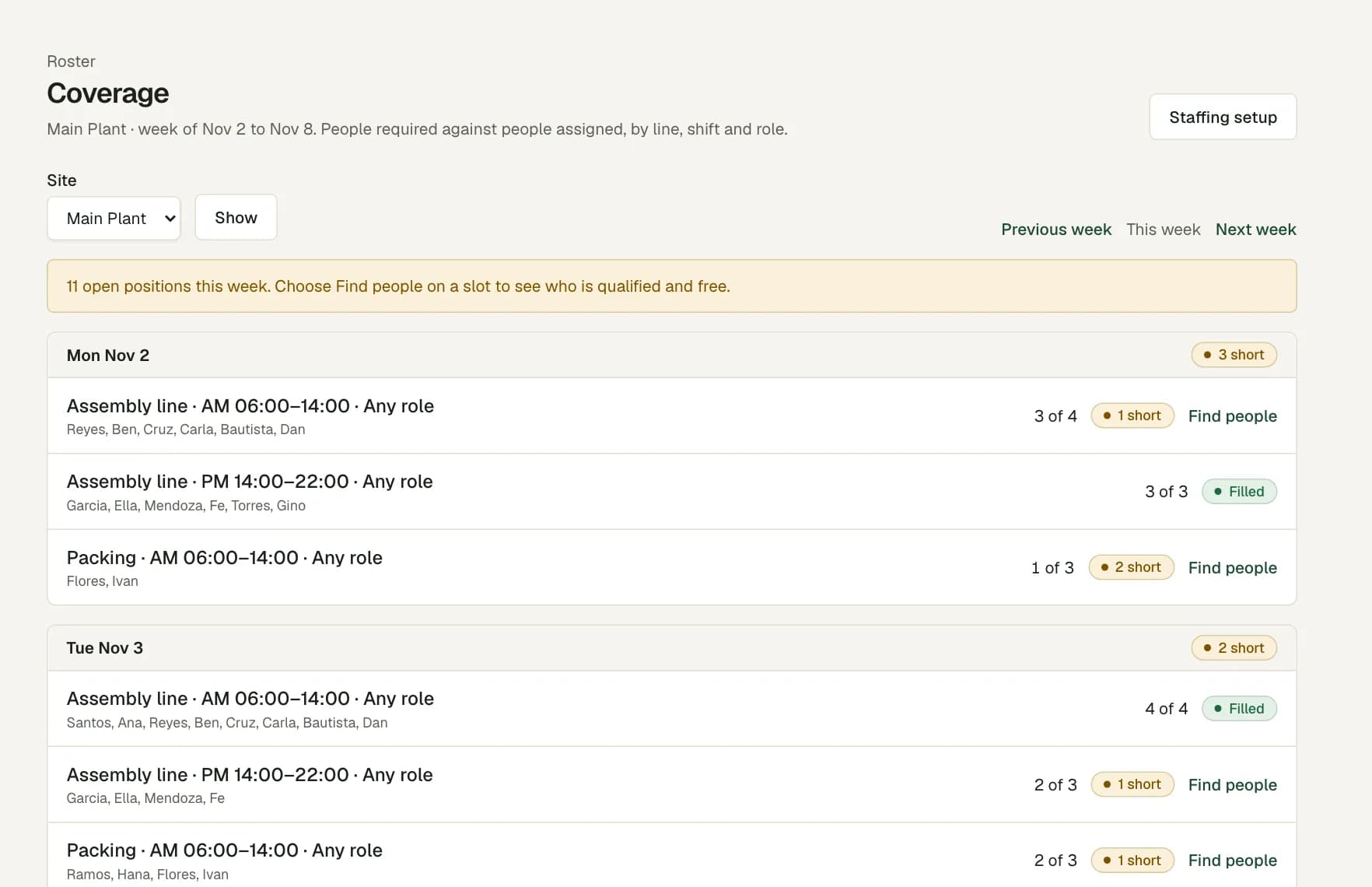
The agency is the legal employer. Add each client site as a site under it, with its own roster and location setting. Add each post as a work area, and set how many guards it needs on each shift and day.
Give a detachment commander the scheduler or branch manager role for their own sites. They see those sites and no others.
Shifts around the clock
Save your day and night shifts as templates. A night shift that ends the next morning stays one shift on the roster, and the timesheet matches the punches with it.
The roster warns you when a guard gets less rest than your policy, more weekly hours than your limit, or no day off.
Licences and certificates as qualifications
Record each guard's licence or training certificate as a qualification, with its start and end dates. Certificates to renew lists the ones that end soon.
If a post needs the qualification, the roster does not accept a guard who does not hold it on the shift date. Workforce Pinas checks the dates you record. It does not check a licence with any government office.
Relievers and punches at the post
When a guard is absent or on leave, choose Find people on the open post. The list shows qualified guards who are free and not on approved leave, from the same site first.
Guards clock in on their own phone. The location check uses the guard's assigned site on that date, so a reliever from another site gets a flag to review. A punch at a post with no signal is saved on the phone and sent later.
Questions
Does Workforce Pinas do guard tours or patrol checks?
No. It covers rosters, attendance, leave and payroll review. The app records a location only at a clock-in, a break or a clock-out.
Can we keep 201 files for our guards?
Yes. Each guard has a 201 file with documents such as clearances, certificates and government IDs, each with an expiry date. Files sit in private storage, and each opening is logged.
What happens when a guard's licence ends?
The licence shows as expired in the employee file. The roster refuses that guard for a post that needs it, and you change any such shift before the week can publish.
Can we report on one client site?
Yes. The attendance report filters by site and date range. Download it as CSV or PDF.