
Clock in from a phone or a browser
Employees use the Workforce Pinas app on Android, or the web app on any browser. The iPhone app is coming soon. Each punch records the time, the site and, if the site asks for it, the location.
Staff can use the phone they already carry, or your team can use a shared kiosk.
For workers without a phone, put a shared Android tablet at the gate as a time clock kiosk. They tap an ID card, or type their employee number and PIN.
Punches that survive a weak signal
A warehouse, a basement kitchen or a remote site often has no signal. The app keeps each punch on the phone and sends it when the connection comes back. The original time stays with the punch, so a late upload does not change the hours.
The system checks incoming punches and avoids recording the same punch twice.
Exceptions first, not a wall of numbers
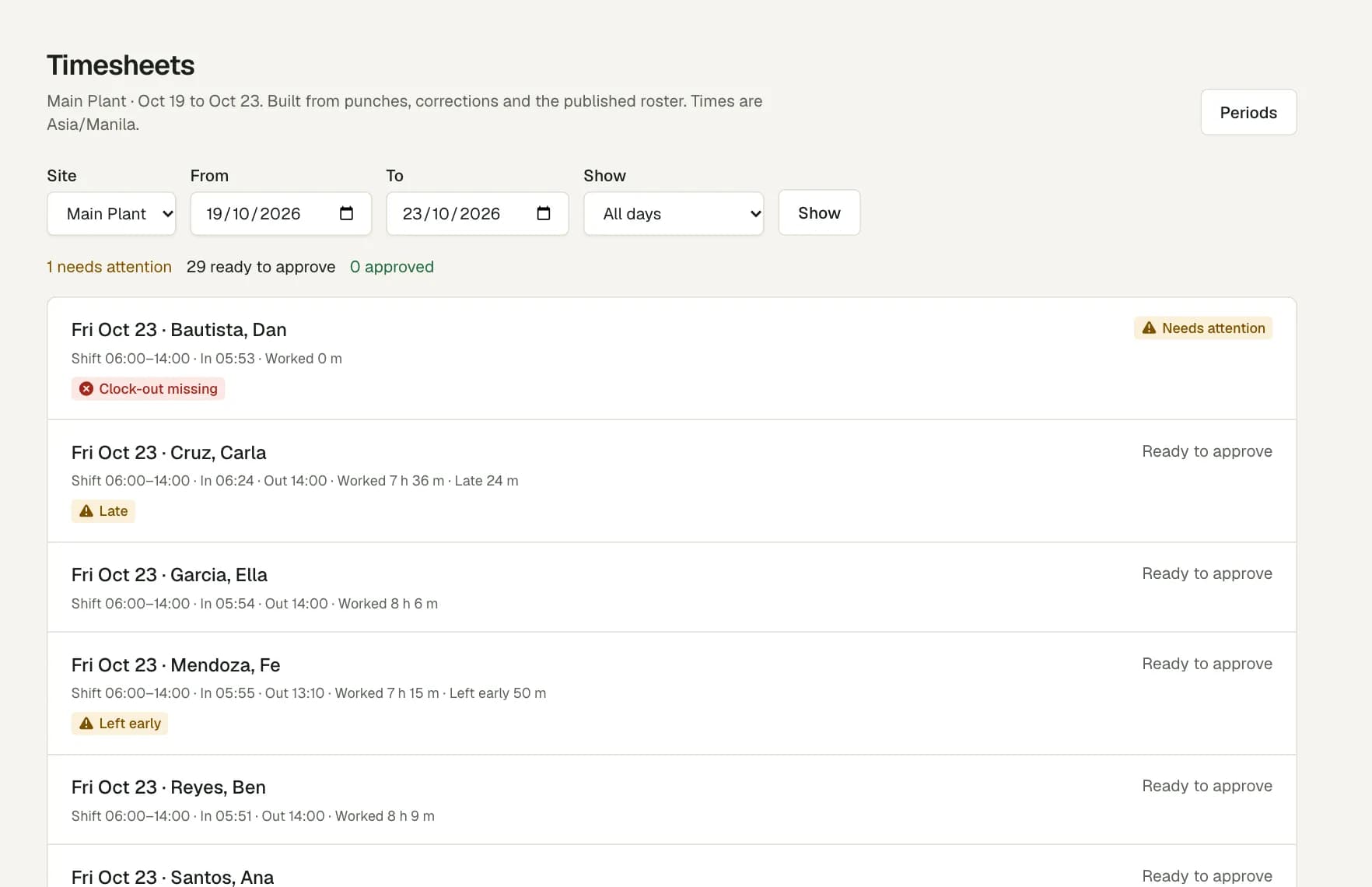
The Timesheets page puts the days that need a decision at the top. Each flag says what is wrong.
- Late start or early finish against the published shift.
- A missing clock-in or clock-out.
- A punch outside the site area, or with no location when the site needs one.
- A phone that reports a mock location, or a phone clock that does not agree with the server.
Corrections with a reason, and an audit trail
A manager can fix a punch, but must give a reason. The original punch stays in the record next to the correction, and the audit log shows who changed what and when.
When the day is right, the manager approves it. Approved days are the only days that go into payroll review.
Questions
Do my staff need a biometric device?
No. Staff clock in and out on the Android app or in a web browser. Each site can ask for the phone's location, so you can check where a punch came from. For workers without a phone, a shared Android tablet can run as a kiosk with ID cards, and it reads no fingerprints.
What happens when there is no internet?
The app keeps the punch with its original time and sends it when the phone is online again. A retry does not create a second punch.
Can a manager change a punch?
Yes, with a reason. The original punch stays in the record, and the audit log keeps the change, the person who made it and the time.
Is there an iPhone app?
The Android app is on Google Play. The iPhone app is coming soon. Until then, iPhone users can clock in with the web app in a browser.