
The same app, in kiosk mode
The kiosk is the Workforce Pinas app for Android, on a shared tablet. There is no second app to install.
A manager opens Settings, then Sites, then Kiosks on the web, and makes a pairing code of 8 characters. The code works once, for 10 minutes. Each kiosk records time for one site, for example Gate 1 at your main plant.
Get the right setup for your team
Workforce Pinas can provide ID cards for your employees. Talk to us about your sites and team size, and we can discuss a suitable device and the cards you need.
Already have cards? Ask us to check their compatibility. We will discuss the options and pricing with you before you decide.
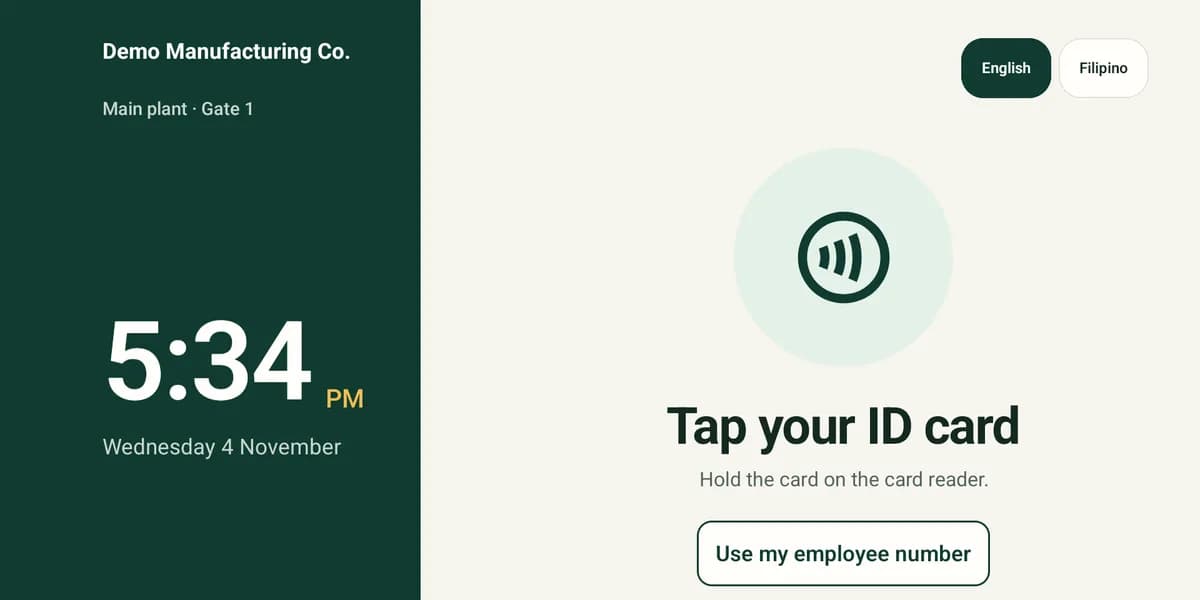
Tap a card, or type a number
Each worker can use the way that suits them.
- A compatible employee ID card.
- The employee number and a PIN of 4 to 6 digits, on a large number pad.
Four actions, then a clear screen
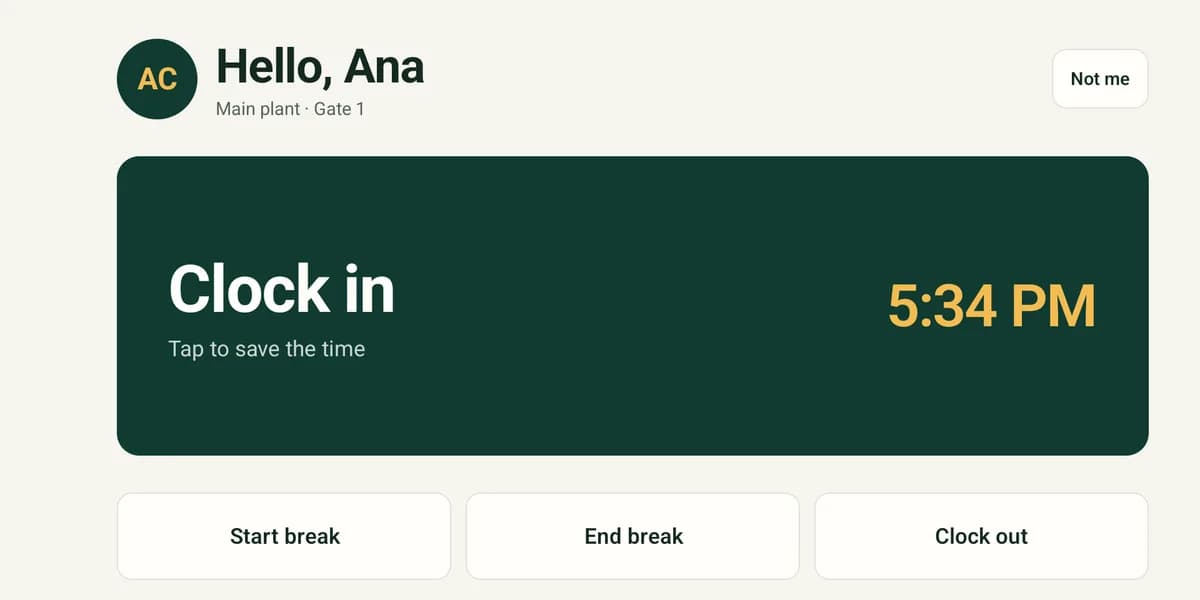
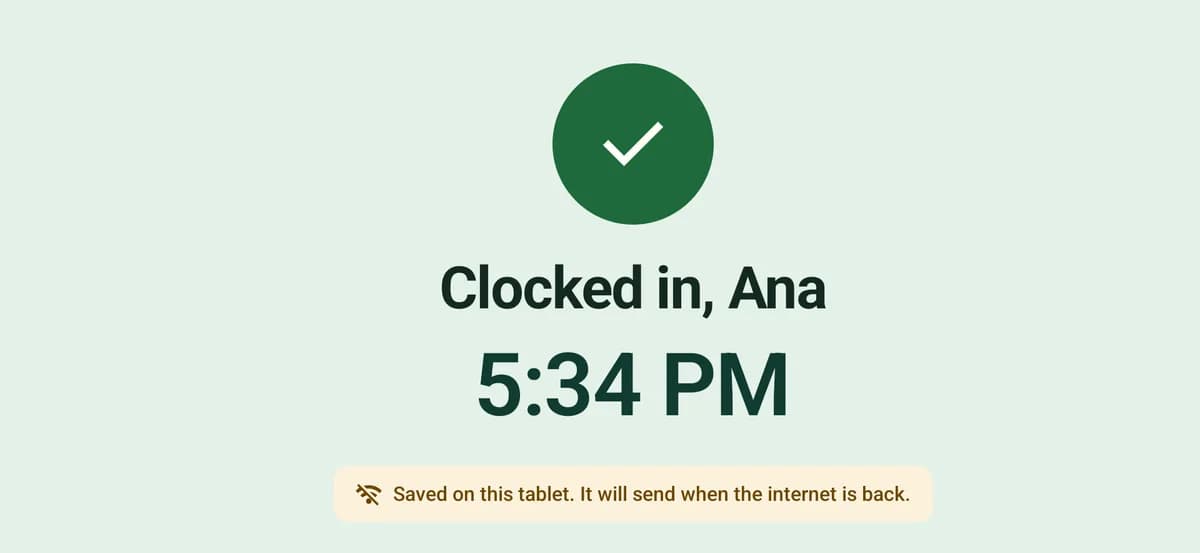
The kiosk says hello by first name and shows the next action as one large button: clock in, start break, end break or clock out. A green screen confirms the time.
Then the kiosk goes back to the start. It shows only the first name, the initials, the action and the time, so the next person in the queue sees nothing of the last one.
Workers choose English or Filipino on the kiosk screen.
A second tap saves nothing
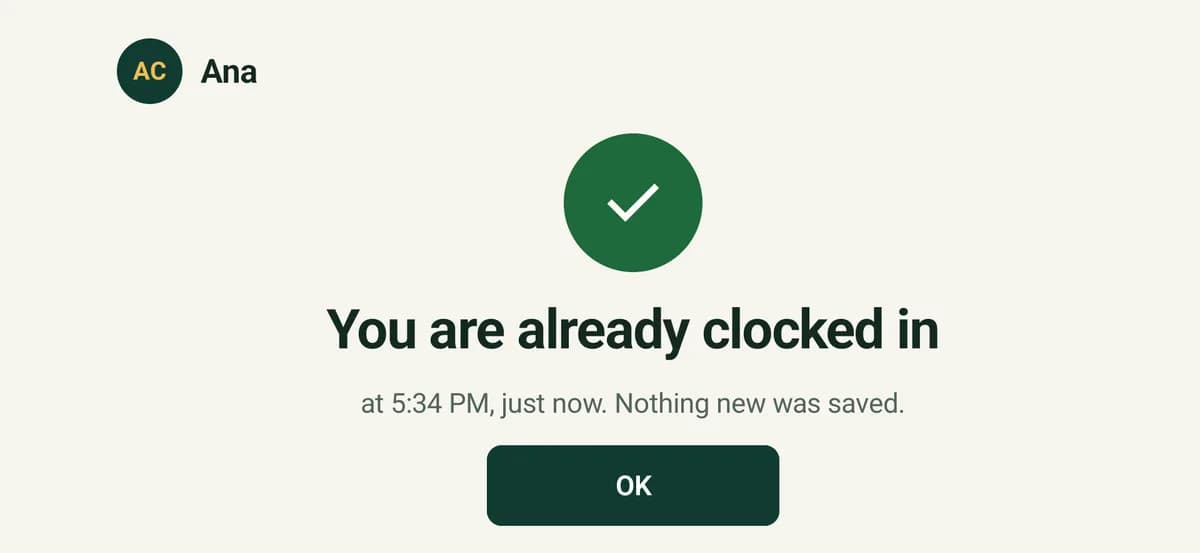
People tap twice when they are not sure. Within 5 minutes of a punch, a second tap or a second number and PIN saves nothing, and the kiosk says so: “You are already clocked in. Nothing new was saved.”
A worker who really needs to clock out taps “I need to do something else” and confirms. A manager can set this repeat guard from 1 to 30 minutes for each kiosk.
It keeps working when the internet drops
The kiosk saves each punch and sends it when the connection returns. The worker can see that it has been saved.
On the web, a punch that arrived late shows the flag “Sent late (offline)”. The punch keeps the time of the tap.
Managers see where each punch came from
On the Attendance page and the timesheet day, each punch shows its source, for example “Kiosk: Gate 1”. Kiosk punches go through the same timesheet rules and approval as punches from the phone app.
A punch that cannot go on a timesheet, such as an unknown card or a wrong PIN, goes to Punches to check on the site's Kiosks page. Nothing that a worker tapped is lost.
Cards and PINs that nobody can read
Managers set up the cards and the PINs. Nobody can see a PIN or a card number, HR included.
- Enrol cards with Admin: ID cards in the Android app: choose a site and an employee, then tap the card.
- Mark a lost card as Lost or replaced in the employee file, and it stops working.
- Reset a PIN to make a new one and a one-page sheet to print. The worker chooses a new PIN at the first punch.
The real kiosk screens
Screens of the Android app on an 8-inch tablet, in a demo organisation.
Questions
Do workers need a phone or an email address?
No. A worker needs only an ID card, or an employee number and a PIN. The kiosk works for workers who have no phone and no app account.
Can Workforce Pinas provide cards and a device?
We can provide ID cards and discuss a suitable device for your site. Tell us about your team and we will discuss the options and pricing. If you already have cards, ask us to check whether they are compatible.
What happens if a worker taps twice?
Within 5 minutes of a punch, the second tap saves nothing, and the kiosk says that the worker is already clocked in. A manager can change the time from 1 to 30 minutes for each kiosk.
Does the kiosk work without internet?
Yes. The kiosk saves the punch with its original time and sends it when the connection returns. Managers can see when it was sent late.
Does the kiosk take photos or fingerprints?
No. Workers identify themselves with a card, or with their number and PIN. The kiosk takes no photo and reads no fingerprint.