
Clock in with one tap
The Time clock tab shows the person's status and the next actions: clock in, start a break, end a break or clock out. The recent punches show below.
If the site uses location and the phone seems to be outside the site area, the app says so at once. The punch is still saved, and the manager reviews it.
Each punch is saved on the phone first
The app saves the time of each punch and sends it when a connection is available. Employees can see any punches still waiting to send.
A phone clock set back while offline cannot change the punch time. If punches are not sent yet, the app warns before anyone signs out.
Schedule, leave and payslips
Staff do the everyday tasks themselves, so fewer questions go to HR.
- Schedule: published shifts for the next 14 days, in Philippine time.
- Leave: each balance, the requests that wait for approval, a request form, and cancel for a request that waits.
- Payslips: each payslip opens in the app's own viewer, and the file is deleted when the viewer closes.
- Account: switch between organisations, and sign out.
English or Filipino, and private by design
Each person chooses English or Filipino in the app. The app has no analytics and no third-party trackers.
Sign-in uses email and password, plus a six-digit code when the account has two-step verification. Data on the phone is encrypted, and sign out deletes it. A leave type that needs an attachment, such as a medical certificate, goes through the web app.
No phone? Clock in at the kiosk
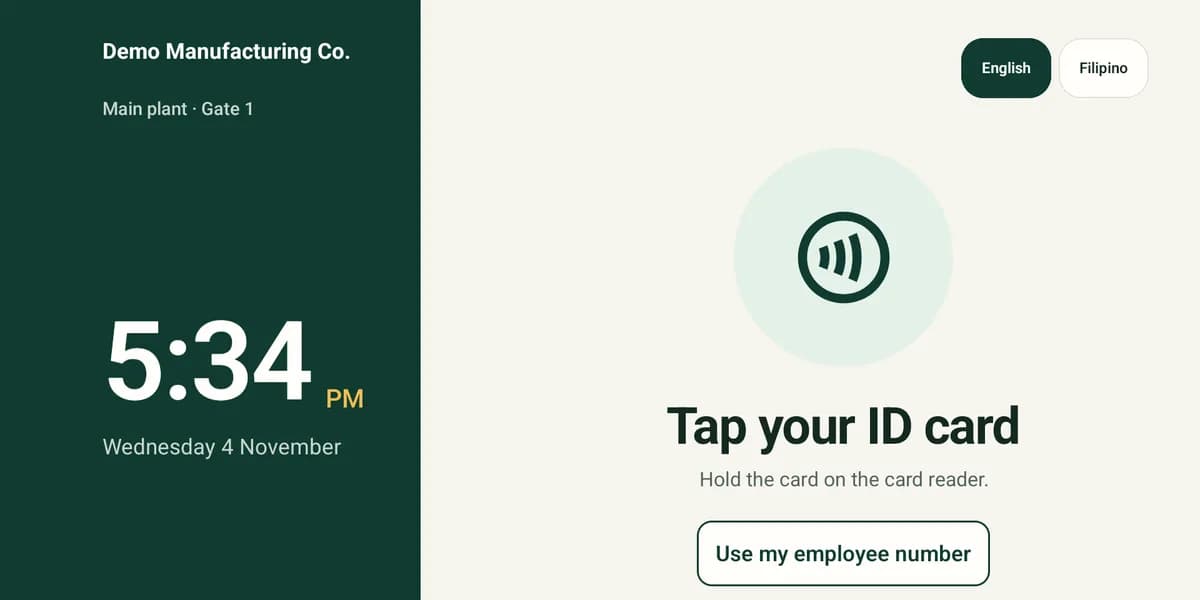
Not everyone brings a phone to work. Put a shared Android tablet at the entrance and run the same app as a time clock kiosk. Staff tap an ID card, or type their employee number and PIN.
Questions
Which phones does the app work on?
Android 8 or later, from Google Play. The iPhone app is coming soon. Until then, iPhone users use the web app in a browser.
Can managers approve leave in the app?
Not in the Android app. Managers approve in the web app, which also works in a phone browser.
Does the app alert staff when a new roster is out?
Not yet. Staff see the latest published shifts each time they open the Schedule tab.
Can two people use one phone?
Each person signs in with their own account. If the last person on the phone still has punches that are not sent, the app warns before the next person signs in.