
From punches to a daily record
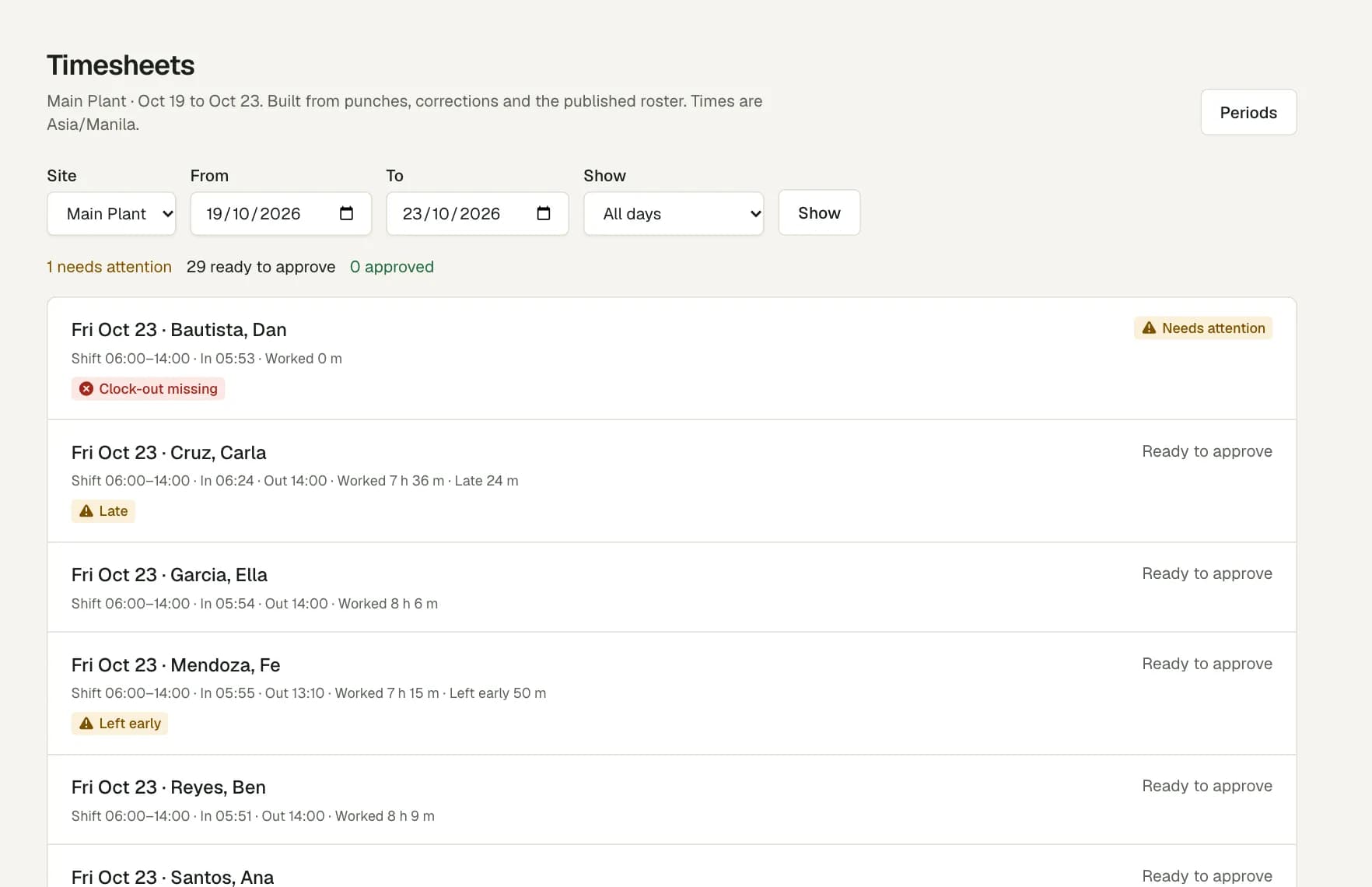
The daily time record (DTR) comes from the clock-in, break and clock-out punches. Worked time is the session less its breaks. Each day is compared with the published shift.
Nobody types hours into a spreadsheet, and nobody copies a paper form at cutoff.
The days that need a decision come first
A day with a missing punch or a flag that nobody reviewed cannot be approved. Each label says what is wrong.
- Clock-in missing or clock-out missing.
- Late, or left early, against the shift.
- No-show, or no shift scheduled.
- Punch needs review, for example a punch outside the site area.
- Overtime, for the manager to approve or not.
- On leave, from an approved leave request.
Corrections that keep the original
A correction is a separate record with a reason. The original punch stays next to it, and the audit log shows who made the change and when.
When a day has overtime, the manager decides. Approve the overtime with the day, or clear the box to approve the day without it.
Lock the cutoff for payroll
A timesheet period is the cutoff for one legal employer. Lock it when every day with activity is approved. Payroll reads locked periods only.
Only an owner can unlock a period, and the unlock needs a reason.
Questions
Can I still print a DTR?
Yes. The attendance report lists worked, late, undertime and overtime minutes for each person and day. Export it as CSV or PDF for a date range and a site.
What if an employee forgets to clock out?
The day shows Clock-out missing and cannot be approved. A manager adds the correct time with a reason, and the original record stays.
Can an approved day change later?
Not after the period is locked. To change it, an owner unlocks the period and gives a reason. The audit log keeps that too.
How is this better than a DTR template in Excel?
A template needs someone to type each time. Here employees record their own time, and each correction has a reason and a name.