
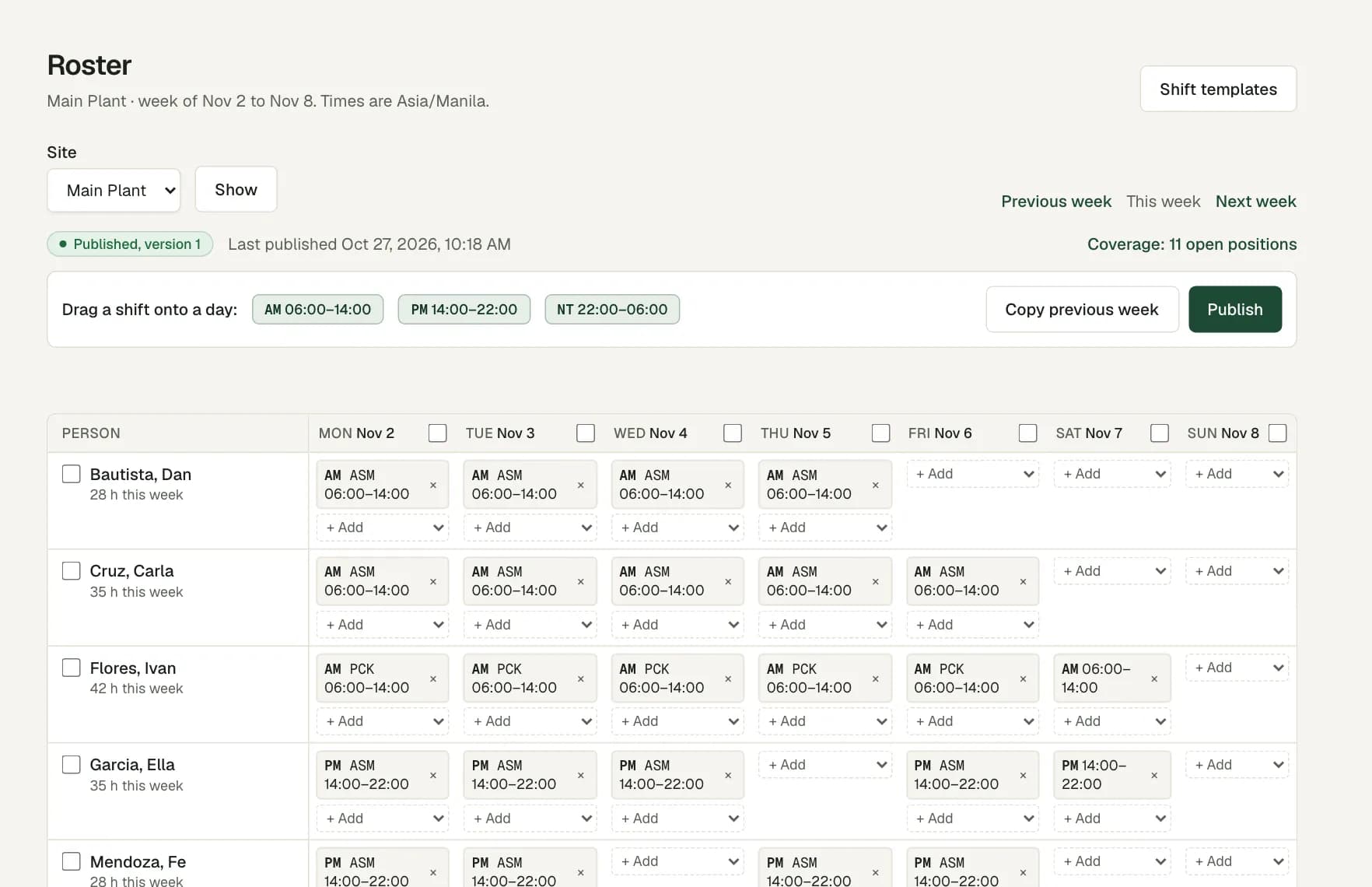
A roster for each branch
Add each clinic or diagnostic centre as a site. Add the reception, the laboratory or the imaging room as work areas, and set how many people each one needs per shift.
Save your opening and closing shifts as templates. Copy last week, change what is different, then publish. Staff see their shifts in the app.
Professional licences as qualifications
Record each person's professional licence as a qualification, with its end date. Certificates to renew shows the licences that end soon.
When an area needs a licence, the roster accepts only people who hold a valid one on the shift date. Workforce Pinas checks the dates you enter. It does not check a licence with any government office.
Cover for leave and absence
Staff request leave on their phone, and the request goes through your approval steps. When it is approved, the roster warns about any shift on those days.
To fill the gap, choose Find people on the short slot. The list shows people with the right licence who are free and not on leave, from the same branch first.
Staff data only, kept private
Workforce Pinas holds employee records: personal details, employment, pay and documents. It has no patient records and no clinical features.
Staff documents, such as a licence copy or a medical certificate, sit in private storage. Each opening is logged, and roles limit who sees what.
Questions
Can we store patient information?
No. Workforce Pinas is for staff records, rosters, attendance, leave and payroll review. Do not put patient data in it.
Can one person work at two branches?
Yes. Roster the person at the second branch, and the roster warns that they belong to another site. For a lasting move, record a transfer with its start date.
What happens when a licence ends?
It shows as expired in the employee file and in Certificates to renew. The roster refuses that person for a shift that needs it, and you change any such shift before the week can publish.
Do staff clock in on a shared device?
They can. Each person can clock in on their own phone or in a browser, with their own sign-in. A clinic can also put a shared Android tablet at the entrance as a time clock kiosk, where staff tap an ID card or type their employee number and PIN.