
Requirements by line, area or team
Each site has work areas. A work area is a line, an area or a team: a packing line, a front desk, a laboratory or a guard post.
For each area, set the shift, the weekdays, the number of people and, if needed, a qualification. A requirement has a start date, so next month's plan does not change this week.
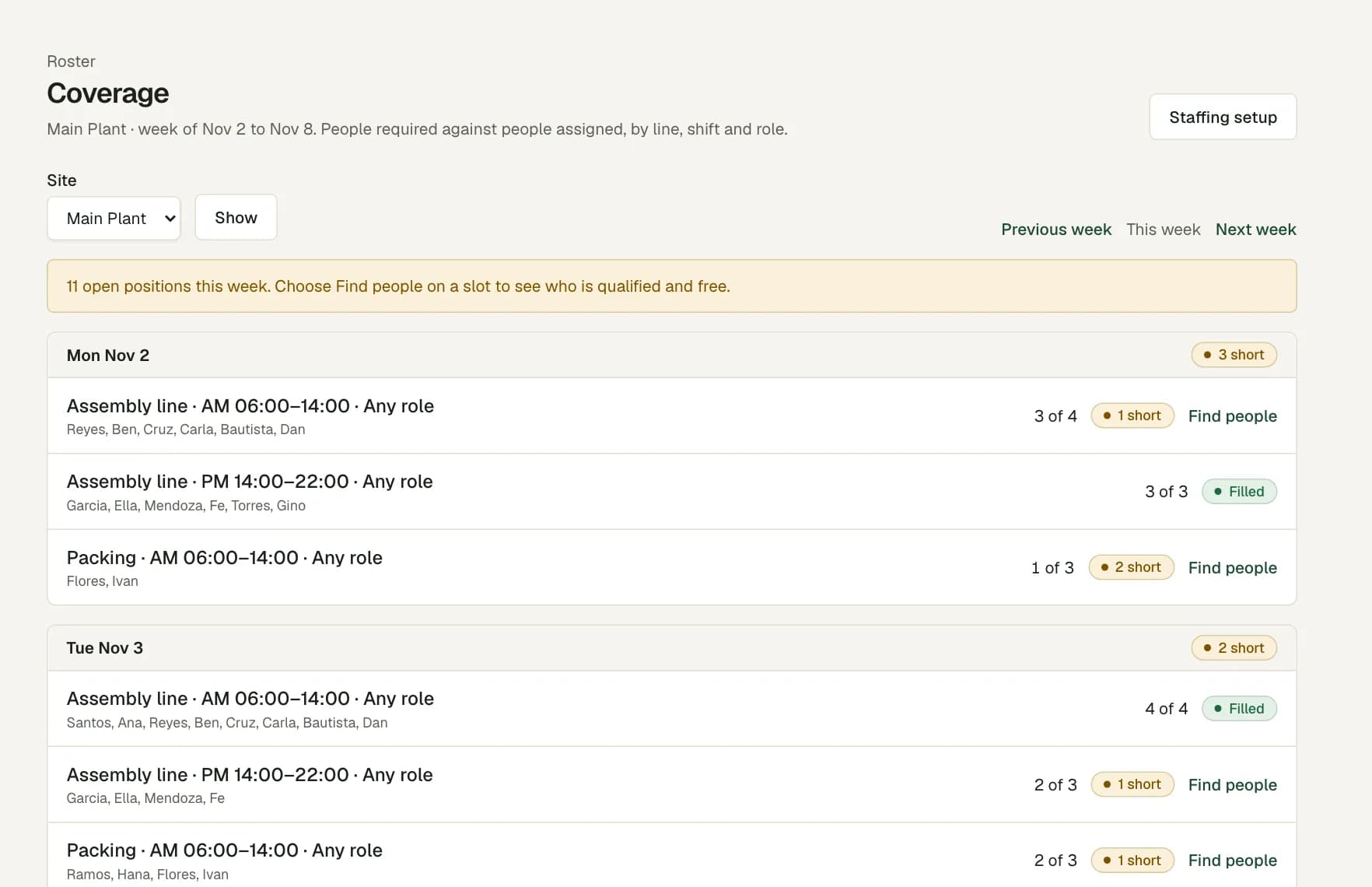
Required against assigned, day by day
The Coverage page lists each day of the week with its slots. Each slot shows how many people are assigned and how many are short. A day with no gap shows Covered.
A person counts once, for the role that their shift names. A shift whose person no longer holds the needed qualification does not count.
Suggestions to fill a short slot
Choose Find people on a short slot. The list shows only people who hold the qualification, have no other shift at that time and are not on approved leave.
- People from this site come first.
- Next come people with enough rest for your policy, then the people with the fewest hours that week.
- Each name shows the hours already rostered that week and the rest before the shift.
- One click adds the shift to the roster.
Qualifications with an end date
Record each skill or certificate in the employee file, with the date it starts and the date it ends. Certificates to renew on the Staffing page lists the ones that end soon or ended recently.
An area can require a qualification of everyone who works in it. The roster refuses a person who does not hold it on the shift date, and a roster with a lapsed certificate cannot publish.
Questions
Can I plan by team instead of by line?
Yes. A work area can be a line, an area or a team. Add a team for each account, department or post, then set its headcount for each shift.
Does the list suggest people from other sites?
Yes, after the people of this site. The roster then warns that the person belongs to another site, so you see the move before you publish.
Can a slot need a certain skill?
Yes. A requirement can ask for a qualification, for example a forklift licence. Only people who hold it on that date can fill the slot.
Does it know who is on leave?
Yes. People on approved leave that day are not suggested, and the roster warns you about a shift on a day of approved leave.